
For a 2027 Houston budget, start with $110 to $185 per supported user per month for fully managed IT. For a 24-person business, that’s $2,640 to $4,440 per month in recurring service fees. Budget separately for onboarding, licensing, and any initial work the agreement bills outside that fee.
At Networking Pulse, we quote managed IT services in Houston at a flat monthly rate per user or endpoint after assessing your setup. The assessment matters because two businesses with the same headcount can need very different coverage. An office that runs on Microsoft 365 has different support needs from a warehouse with shared computers, network equipment, and a second shift.
Key takeaways
- Count what the provider actually bills for. Users, shared workstations, servers, and locations can affect the same quote. Ask how the provider defines a supported user or endpoint.
- Separate always-on monitoring from after-hours help desk. Confirm what happens when a critical system goes down outside office hours and when employees can get help with routine requests.
- Ask for onboarding and required fixes as individual line items. Tool installation and documentation may be part of onboarding. Replacing unsupported equipment or repairing a failed backup may be separate work.
- Check who pays for software and who manages it. A provider can administer Microsoft 365 while your business pays for the licenses separately. Ask the same question about backup and security tools.
- Compare the first year at the same level of coverage. Include recurring fees, required setup, and planned projects. Keep an allowance for variable charges separate so you can see how much of the budget is committed.
- Price the changes you expect. If you plan to hire, open a location, or change providers during the year, ask how that affects the rate, the minimum commitment, and the work covered.
Three levels of IT support to consider
Start by deciding who will handle daily requests, maintain your systems, and respond when a problem interrupts work.
Fully managed IT
Choose fully managed IT if you need an outside team to own day-to-day support and maintenance. This often suits a business where an office manager or operations lead is already handling IT alongside their regular job. Ask who will take employee requests, set up new devices, maintain the network, and coordinate recovery after an outage.
Co-managed IT
Choose co-managed IT if you have an internal IT lead who can handle routine work and needs help with specific responsibilities. Your team might keep employee support and device setup while Networking Pulse handles monitoring, escalations, or agreed after-hours coverage. Write down who owns each task so an alert or ticket has a clear destination. In the same 2026 benchmark, co-managed IT averaged $85 per user per month, with most plans between $55 and $120, because your team keeps part of the work.
Monitoring-only support
Consider monitoring-only support if someone on your team can investigate alerts, arrange repairs, and handle employee requests. This can work for a business that already has people available to respond but needs better visibility into its systems. Ask whether the fee covers alerts, investigation, or remediation. Those are different levels of work.
Unsure which level fits your business? Bring your rough headcount, device count, office locations, and any current IT agreement, and we’ll discuss what needs coverage. Book your free IT audit
What managed IT services cost per month
The $110 to $185 per-user range comes from the 2026 Best IT MSP Pricing Benchmark, a survey of 412 managed IT providers and buyers across the U.S. and Canada published in June 2026. The same survey put the average for fully managed IT at $145 per user per month. It’s a starting point for budgeting in Houston. A local quote will depend on the systems, locations, and support hours you need covered. The table applies the survey range to three business sizes.
| Supported users | At $110 per user per month | At $185 per user per month |
|---|---|---|
| 10 | $1,100 | $1,850 |
| 24 | $2,640 | $4,440 |
| 50 | $5,500 | $9,250 |
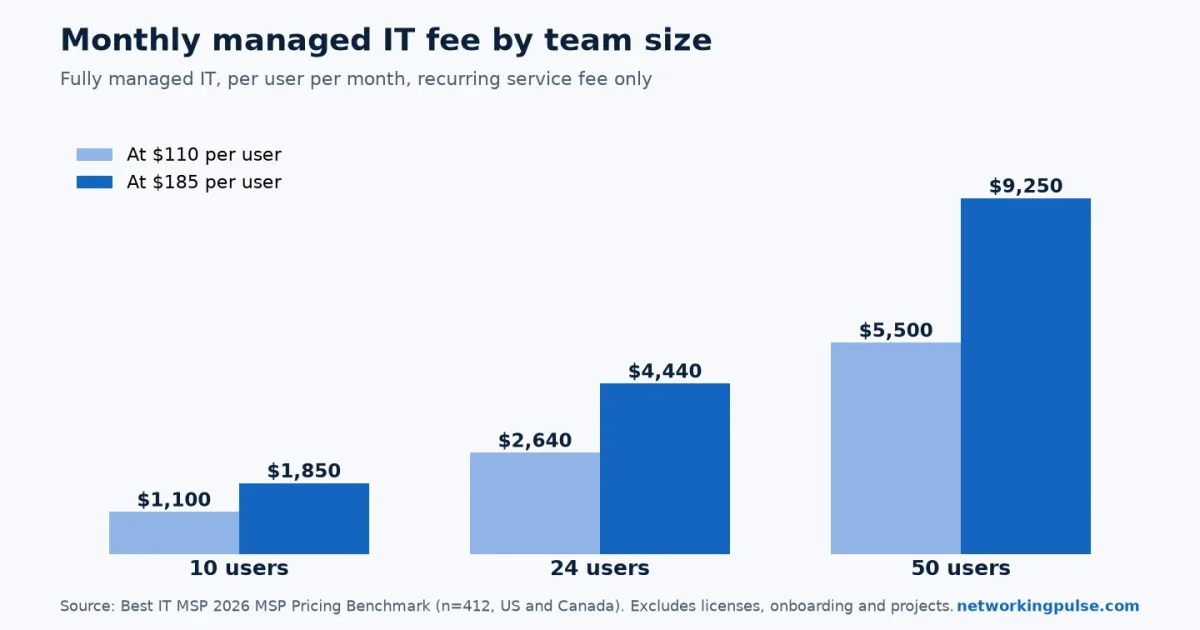
These figures cover the recurring service fee in a per-user model. If you have a small team, ask about a monthly minimum before multiplying by headcount. If you have multiple sites, ask whether network equipment and on-site support are included at every address.
How managed IT pricing works
The billing model tells you which changes will raise your invoice. A growing office may add employees faster than equipment. A warehouse may add shared computers and scanners without hiring at the same pace. Give the provider both counts before asking for a rate.
| Pricing model | What you pay for | What to check |
|---|---|---|
| Per user | Each person covered by the agreement | How many devices each user can have and how shared or seasonal users are counted |
| Per endpoint | Each covered computer, server, or other managed device | Which device types are billable and whether they carry different rates |
| Flat monthly fee | A defined set of people, systems, locations, and services | Monthly minimums, limits, and the changes that trigger a revised quote |
| Hybrid | A base fee plus separately priced users, devices, sites, or services | Which items are included in the base and which appear as separate charges |
Per user and flat monthly can describe the same quote. A provider can use the number of users to calculate your monthly fee and keep that invoice predictable while the agreed scope stays the same. Ask what happens when you add an employee’s second device, retire a server, or move part of the team to a new office.
What changes your managed IT quote in Houston?
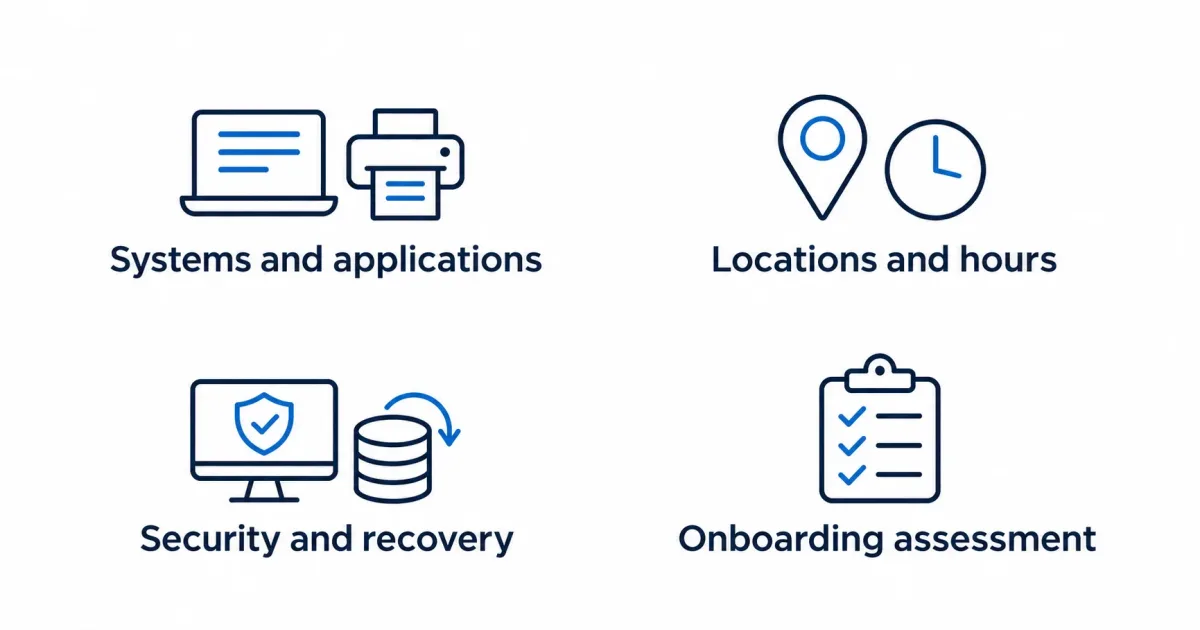
The equipment and applications your team depends on
A 24-person office with standard laptops and cloud applications is relatively straightforward to inventory. A 24-person distributor may also need support for warehouse workstations, label printers, wireless access points, and software that cannot go offline during a shipping window.
List the systems that stop work if they fail. If your warehouse software, accounting platform, or phone system has its own vendor, ask whether the IT agreement covers troubleshooting and coordination with that vendor.
Your locations and hours of operation
A business with a Houston office and a warehouse in Fort Bend may need different support at each site. The office might need employee help desk coverage during business hours, while the warehouse needs a response when a connection fails during a weekend shift. Networking Pulse is based in Richmond and supports businesses across Greater Houston, including Sugar Land, Katy, and the rest of Fort Bend County.
Give the provider each address and its operating hours. Ask whether on-site dispatch is available there, which incidents qualify for an after-hours response, and how travel or emergency labor is billed.
Your security and recovery requirements
Security can mean routine updates and endpoint protection. It can also include responding to suspicious activity, documenting incidents, or helping produce evidence for an audit. Ask who takes action when an alert comes in and which parts of the response the agreement covers.
For backups, ask about storage, restore testing, and recovery labor separately. If a storm or extended outage disrupts access to your office, identify the files and applications you need first. Then ask what it takes to restore them, who performs that work, and what you’ll pay.
The condition of your IT before onboarding
An assessment can find issues that affect the starting budget. A server may be out of support. Your team may be missing network documentation. A backup may be running regularly even though no one has tested whether files can be recovered.
Ask for three decisions in writing. What must be fixed before service starts? What can be scheduled later? Who pays for and performs each task? That gives you a clearer picture of your first invoice and your ongoing monthly fee.
A first-year managed IT budget for 24 employees
Consider a Houston office with 24 employees, 28 computers, one server, and one location. The business wants fully managed IT and pays separately for software licenses. The figures below are illustrative budgeting assumptions. The onboarding figure uses the benchmark’s average of $1,200 for a 25-seat business. Networking Pulse provides its own rate after reviewing the environment.
| Cost item | Example calculation | First-year budget |
|---|---|---|
| Managed IT service | 24 users × $150 × 12 months | $43,200 |
| Separately billed licenses | 24 users × $20 × 12 months | $5,760 |
| One-time onboarding | Inventory, tool setup, and documentation | $1,200 |
| Required cleanup | One separately scoped project before service starts | $1,200 |
| First-year total for the listed scope | Recurring charges plus one-time work | $51,360 |
| Allowance for billable visits or other variable work | Set aside against quoted rates and expected usage | $1,000 |
| First-year planning budget | Listed scope plus the allowance | $52,360 |
The advertised service fee in this example is $3,600 per month. The recurring budget rises to $4,080 with licenses. Onboarding and cleanup add $2,400 in the first year. Seeing all three numbers helps you distinguish the monthly invoice, the cost of switching providers, and the cash you need to set aside.
The device count is also worth checking. The office has four more computers than employees, plus a server. Before using the per-user calculation, ask whether those devices are covered in the base rate or billed separately.
Costs to verify before you sign
Send every provider the same inventory, locations, working hours, and support requirements. Then check these parts of the proposal.
- Onboarding and migration. Ask what documentation, access, and tools move during onboarding. Have the provider price larger work, such as a server replacement or cloud migration, as a separate line item.
- Service response. Ask when the response clock starts, which incidents qualify as critical, and what support looks like outside regular hours. Use a specific example, such as the network going down at your warehouse on a Saturday.
- Software, hardware, and vendor work. Find out who pays for licenses and replacement equipment. Ask whether the provider handles the support call when your internet carrier, phone vendor, or business application is involved.
- Renewals and growth. Ask how new users are billed, whether rates change at renewal, and whether opening another location changes your agreement.
- Exit and handover. Ask what happens to your documentation, administrative access, and software subscriptions when you leave. Get the handover scope and any fees in writing.
Worksheet for comparing first-year quotes
Fill this out once you have written quotes. If a line item is included, write included. If there’s a charge, enter the figure. If the proposal is unclear, mark it confirm so it stays visible in the comparison. The example below compares two quotes for the 24-person office above.
| Cost or scope item | Quote A | Quote B | What to record |
|---|---|---|---|
| Monthly service fee | $3,600 (24 users × $150) | $3,080 (28 devices × $110) | Billing unit, counts, and any monthly minimum |
| Monthly extras | $480 licenses; backup included | $480 licenses + $240 backup | Licenses, backup, security tools, or additional locations |
| Onboarding | $1,200 | Included | One-time fee and included setup work |
| Required fixes and planned projects | $1,200 cleanup | Confirm | Separately scoped work and when it needs to happen |
| Variable work allowance | $1,000 | $2,500 (after-hours billed hourly) | Expected billable visits or after-hours calls, using quoted rates |
| First-year total | $52,360 | $48,100 + fixes to confirm | Recurring charges for the year plus setup, projects, and the allowance |
| Work your team keeps | None; provider owns support | After-hours support and on-site work | Who handles support requests, on-site work, security incidents, and recovery |
| Renewal and exit terms | 12 months, 30-day notice, handover included | 36 months, 90-day notice, handover fee | Rate increases, contract commitment, notice period, and handover costs |
In this example, Quote B looks about $4,000 cheaper, but your team keeps after-hours support and on-site work, and the cleanup cost is still unknown. If one quote is cheaper, look first at the work your team keeps. Your business still needs someone to handle that work. A lower monthly fee can be a good fit if your team has the time and expertise to take it on. If that work is unassigned, ask the provider to price it before you compare totals.
Questions Houston businesses ask about managed IT costs
What is usually included in managed IT services?
A fully managed agreement commonly includes help desk support, monitoring, system updates, and basic endpoint protection. Backup recovery, advanced security response, on-site visits, and software licenses vary by agreement. Ask for the responsibilities and support hours in writing.
When does hourly IT support make sense?
Hourly support can work for an occasional repair or a project with a defined scope. If your business regularly needs updates, employee support, monitoring, and someone to coordinate vendors, price those duties over a full year and compare them with a managed agreement.
What happens to our IT documentation if we switch providers?
Ask who owns the network diagrams, asset inventory, and system documentation. Confirm what your outgoing provider will hand over, when you’ll receive it, and what access your business retains. Include any handover fee and transition work in your switching budget.
Can we keep our Microsoft 365 subscriptions if we switch IT providers?
It depends on how your subscriptions were purchased. If your current provider bills you through Microsoft’s Cloud Solution Provider program, ask both partners whether the subscriptions are eligible for transfer and who must approve it (Microsoft Learn). Check the billing and renewal dates before making changes so you can plan the handover without paying for overlapping subscriptions unnecessarily.
How do part-time and seasonal employees affect the monthly fee?
Ask how the provider counts those employees. A per-user agreement may bill for everyone who needs access to company systems, even if they work only a few shifts. A per-device agreement may handle shared workstations differently. Give the provider your normal and peak headcounts and ask when seasonal seats can be added or removed from the bill.
Getting an accurate managed IT quote
Bring your current IT invoice, device inventory, list of locations, and the hours your systems need to stay available. Flag any upcoming changes such as hiring, an office move, or an audit. During the Networking Pulse assessment, we can use that information to discuss which work belongs in your monthly plan, which work should be priced separately, and what your team can comfortably keep in-house. That gives you a first-year budget you can compare against the work you need done.
Book your free IT audit or call (346) 466-8330.